Mikrotik

Shopping Cart: 0 value - 0.00 $
Koszyk
Home Specials News Contacts
Email:   Password:   
  Catalog ยป Nstreme2 - 70Mbps PtP link My Account    

Categories Categories
Latest News Latest News

Manufacturers Manufacturers
Sxt 5Hnd PtP MPLS Sxt 5Hnd PtP MPLS

Sxt 5Hnd PtP MPLS bridge 

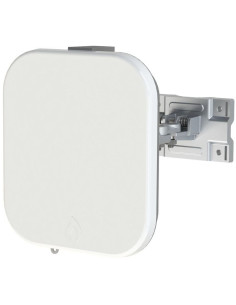
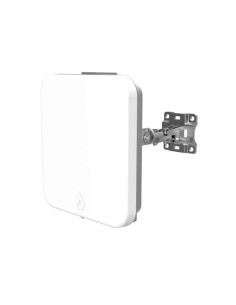
The new Nv2 (TDMA) Sxt 5HnD CPE by Mikrotik can suprise with the speed, configurability and scalability. Even though it has only Level3 of Mikrotik License it is enough to make PtP bridge. This is an example shows how the bridge be done using MPLS instead of WDS. 


 [Read More]
Information Information
Contact Contact
Tel
02 8061 7525
Tel
08 6141 8566
Tel
07 3166 5475
GSM
0425 320 525
Search tags Search tags
Nstreme2 - 70Mbps PtP link

Dual radio Point-to-Point mode Nstreme 2

Nstreme 2 dual radio PtP 70Mbps link

These are MikroTik proprietary wireless protocols to achieve outstanding performance on a very long range links. Regular wireless links will have large time delays for data traveling on a long distances, with Nstreme you do not have to worry about this anymore.
Nstreme2 goes even further by using two wireless cards in each end - one for transmit and one for receive.

Our customers have links of 40 km (Line of Sight) and speed of 35 Mbps without turbo mode (20Mhz channel). Up to 70MBps in turbo mode.

To make this setup, you can use:

* Two RB433AH or similiar power device
* Four Atheros PCI wireless cards with pigtails (
* 2 Mars antennas (they are two antennas, however inside of each antenna there are two antennas,
one Vertical the other Horizontal Polarisation. Using this kind of antenna will save a lot of space on the mast,
also will decrease the noise, as there are just short pigtails from wireless card straight to antenna connector which is 10cm away)

This is high performance link, devices suitable can be found in high performance section.

Nstreme2 by Mikrotik

Nstreme dual Step-by-Step howto:

Here is a step-by-step explanation how to enable nstreme dual on a fresh installed MikroTik devices:


I. MikroTik Device 1

1.1. Enabling wireless cards 1 and 2:

[admin@MikroTik] > interface enable wlan1 [admin@MikroTik] > interface enable wlan2

1.2. Assigning IP address to the ethernet interface:

[admin@MikroTik] > ip address add address=192.168.1.1/24 interface=ether1 [admin@MikroTik]> ip address add address = 192.168.1.1/24 interface = ether1

1.3. Creating bridge interface:
[admin@MikroTik] > interface bridge add

1.4. Adding ethernet interface to the bridge interface:

[admin@MikroTik] > interface bridge port add interface=ether1 bridge=bridge1

1.5. Setting wireless cards 1 and 2 to nstreme mode:
[admin@MikroTik] > interface wireless set wlan1 mode=nstremedualslave
[admin@MikroTik] > interface wireless set wlan2 mode=nstremedualslave

1.6. Creating nstreme dual interface and setting Tx and Rx radios and frequencies:
[admin@MikroTik] > interface wireless nstremedual add rxradio=wlan1 txradio=wlan2 rxband=5ghz txband=5ghz rxfrequency=5180 txfrequency=5300

1.7. Adding nstreme interface to the bridge:

[admin@MikroTik] > interface bridge port add interface=nstreme1 bridge=bridge1

1.8. Checking the MAC address of the nstreme interface (in this example: 11:11:11:11:11:11):

[admin@MikroTik] > interface wireless nstremedual print Flags: X disabled, R running 0 X name="nstreme1"
mtu=1500 macaddress=11:11:11:11:11:11 arp=enabled disablerunningcheck=no txradio=wlan2 rxradio=wlan1
remotemac=00:00:00:00:00:00 txband=5ghz txfrequency=5300 rxband=5ghz rxfrequency=5180 ratesb=1Mbps,2Mbps,5.5Mbps,11Mbps ratesa/g=6Mbps,9Mbps,12Mbps,18Mbps,24Mbps,36Mbps,48Mbps,54Mbps framerpolicy=none framerlimit=2560


II. MikroTik Device 2

2.1. Enabling wireless cards 1 and 2:
[admin@MikroTik] > interface enable wlan1
[admin@MikroTik] > interface enable wlan2

2.2. Assigning IP address to the ethernet interface:

[admin@MikroTik] > ip address add address=192.168.1.2/24 interface=ether1

2.3. Creating bridge interface:

[admin@MikroTik] > interface bridge add

2.4. Adding ethernet interface to the bridge interface:

[admin@MikroTik] > interface bridge port add interface=ether1 bridge=bridge1

2.5. Setting wireless cards 1 and 2 to nstreme mode:

[admin@MikroTik] > interface wireless set wlan1 mode=nstremedualslave [admin@MikroTik] > interface wireless set wlan2 mode=nstremedualslave

2.6. Creating Nstreme dual interface and setting Tx and Rx radios and frequencies and setting the MAC address
of the remote nstreme interface (in this example: 11:11:11:11:11:11 [step 1.8]):

[admin@MikroTik] > interface wireless nstremedual add rxradio=wlan1 txradio=wlan2 rxband=5ghz txband=5ghz rxfrequency=5300 txfrequency=5180 remotemac=11:11:11:11:11:11 disabled=no

2.7. Adding nstreme interface to the bridge:

[admin@MikroTik] > interface bridge port add interface=nstreme1 bridge=bridge1

2.8. Checking the MAC address of the nstreme interface (in this example: 22:22:22:22:22:22):

[admin@MikroTik] > interface wireless nstremedual print
Flags: X disabled, R running 0 R name="nstreme1" mtu=1500 macaddress=22:22:22:22:22:22
arp=enabled disablerunningcheck=no txradio=wlan2 rxradio=wlan1 remotemac=11:11:11:11:11:11
txband=5ghz txfrequency=5180 rxband=5ghz rxfrequency=5300 ratesb=1Mbps,2Mbps,5.5Mbps,11Mbps ratesa/g=6Mbps,9Mbps,12Mbps,18Mbps,24Mbps,36Mbps,48Mbps,54Mbps framerpolicy=none framerlimit=2560

III. MikroTik Device 1

1.9. Setting the MAC address of the remote nstreme interface (in this example: 22:22:22:22:22:22 [step 2.8]):

[admin@MikroTik] > interface wireless nstremedual set nstreme1 remotemac=22:22:22:22:22:22 disabled=no

Back
Shopping Cart Shopping Cart
0 items
My Account Info My Account Info
Free Shipping Free Shipping
Free shipping only for an order of 499.00 $ and more with a maximum package weight of 5 kg.
Bestseller Bestseller
Specials Specials
accepted payment options: credit cards, paypal, direct deposit 2334639 requests since Wednesday 26 March, 2008 Follow wisp.net.au on Twitter Follow us on Twitter
We prefer PC from Small PC